

Step 1: Download Office from App Store
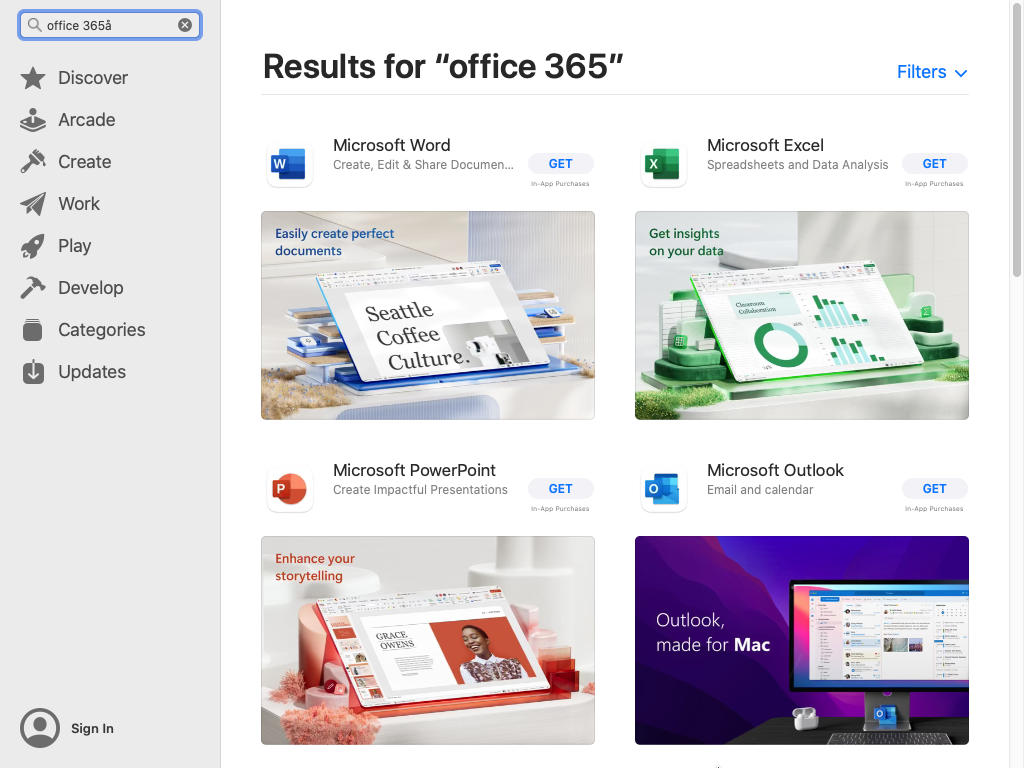
Open the App Store on your Mac,
search for Office 365 and install:
- Microsoft Word
- Microsoft Excel
- Microsoft PowerPoint
Step 2: Sign In & Activate
Open an Office App
After installation, open Word (or any Office app).
Click Sign in.
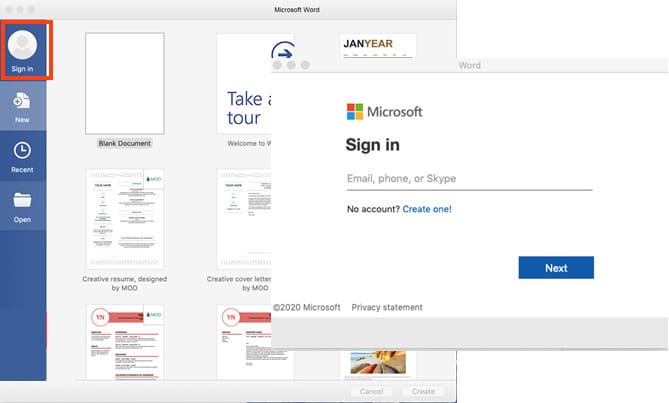
Enter Account Information
Sign in using your provided Microsoft 365 account.
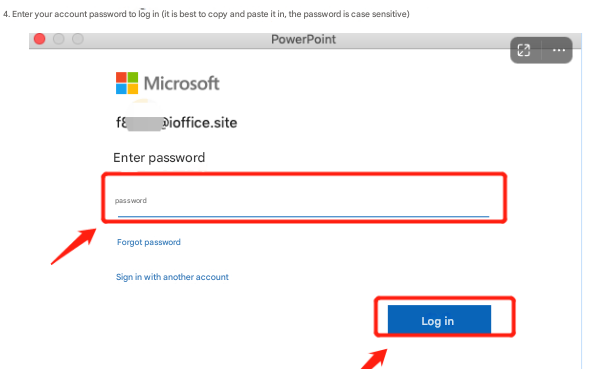
Tip:
We recommend copy & paste the password to avoid typing errors.
Step 3: Change Password (First Login)
If this is your first sign-in, you will be prompted to change your password.
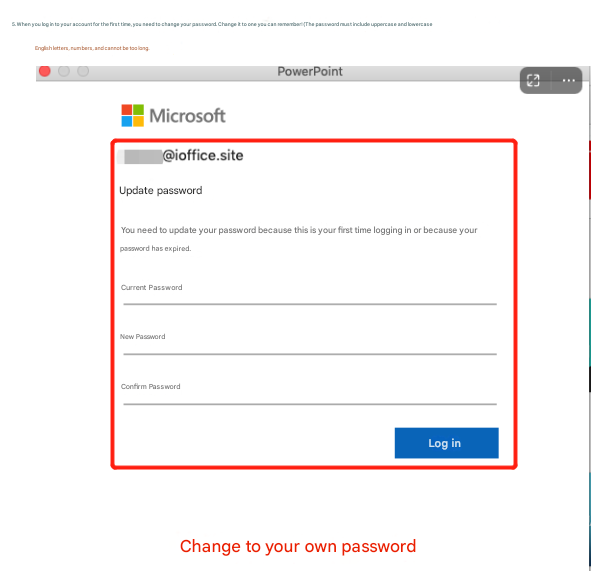
Password Requirements:
• At least 8 characters
• Uppercase & lowercase letters
• Numbers included
• Must not be the same as old password
Step 4: Verify Activation
Check Activation Status
Click the app name at the top-left (e.g. Word) → About Word.
It should display:
Product Activated + your account email.
Troubleshooting
If activation does not show correctly:
- Click the Home icon (top-left)
- Click your avatar (top-right) → Sign out
- Find the Activate (key icon) at bottom-left
- Sign in again
Microsoft 365 for Mac — instruction image — this image is unavailable from the original tutorial.