

Quick Links
Windows Installer
SPSS v29 (Windows) SPSS v30 (Windows) SPSS v31 (Windows) SPSS v32 (Windows)macOS Installer
SPSS v29 (macOS) SPSS v30 (macOS) SPSS v31 (macOS) SPSS v32 (macOS)Step 1: Download Installer
Download the SPSS installer for your version and operating system.
Right-click the installer and select Run as administrator (Windows).
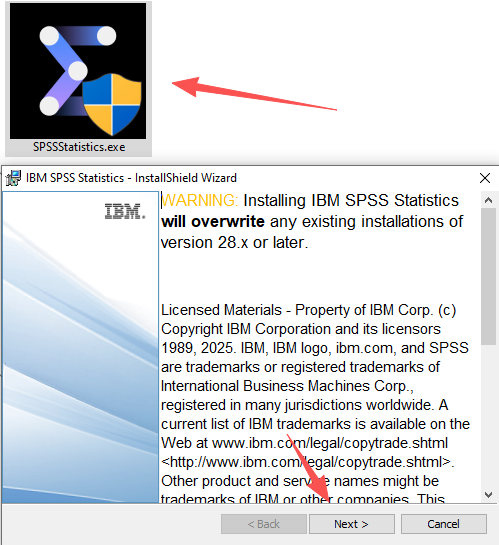
Step 2: Install SPSS
- Install to a folder with English-only characters
- Avoid special characters or Chinese characters in the path
- Follow the setup wizard until installation completes
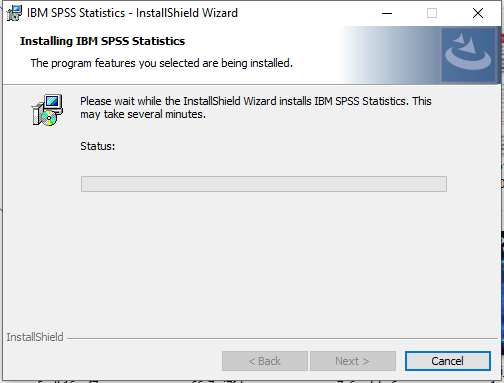
Tip:
Using the default installation path is recommended.
Step 3: Collect Lock Code
Open SPSS and launch the License Wizard.
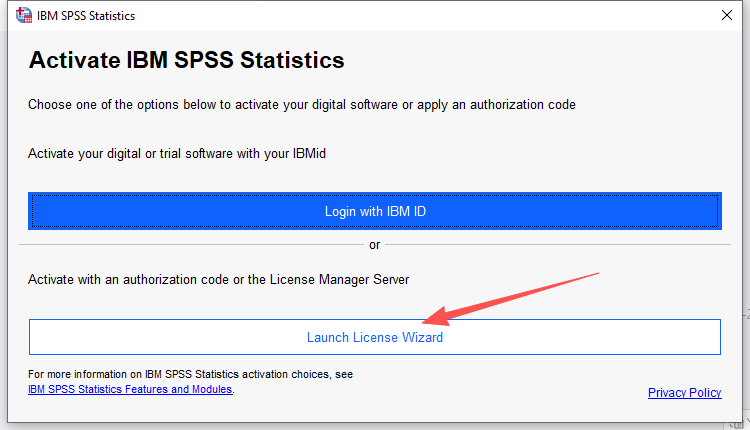
- Copy the Lock Code
- Copy this machine’s lock code into the SPSS / AMOS form on this site. Select the matching installed version before requesting a licence code.
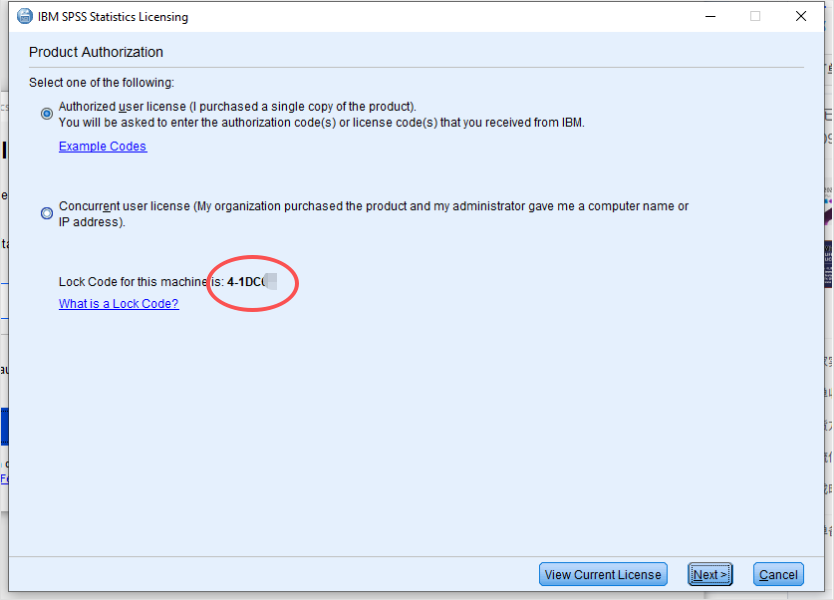
Step 4: Activate SPSS
In the License Wizard:
- Select Authorized User License
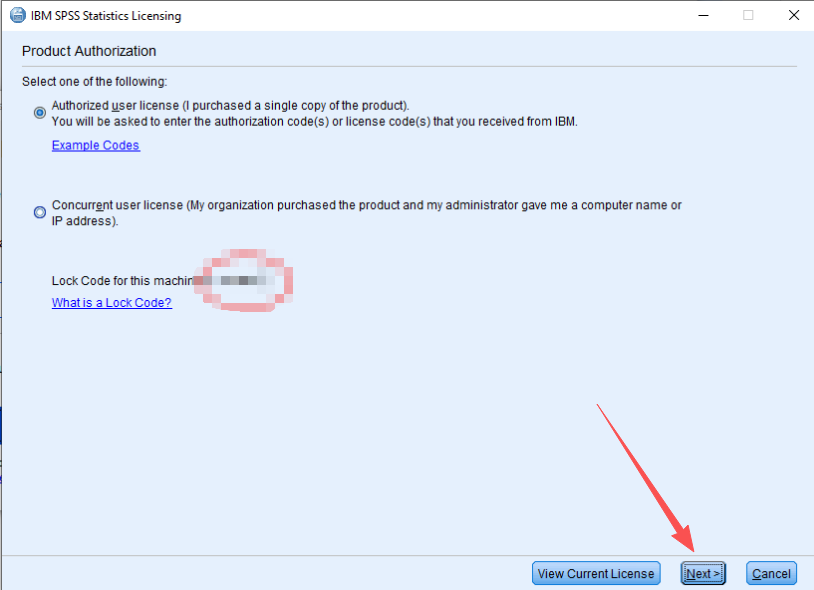
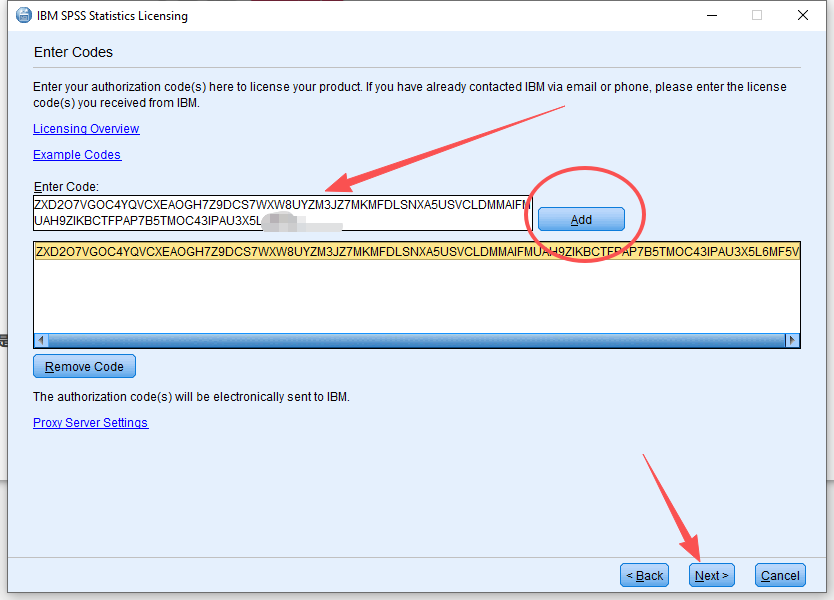
- Paste the licence code delivered for this exact machine and version.
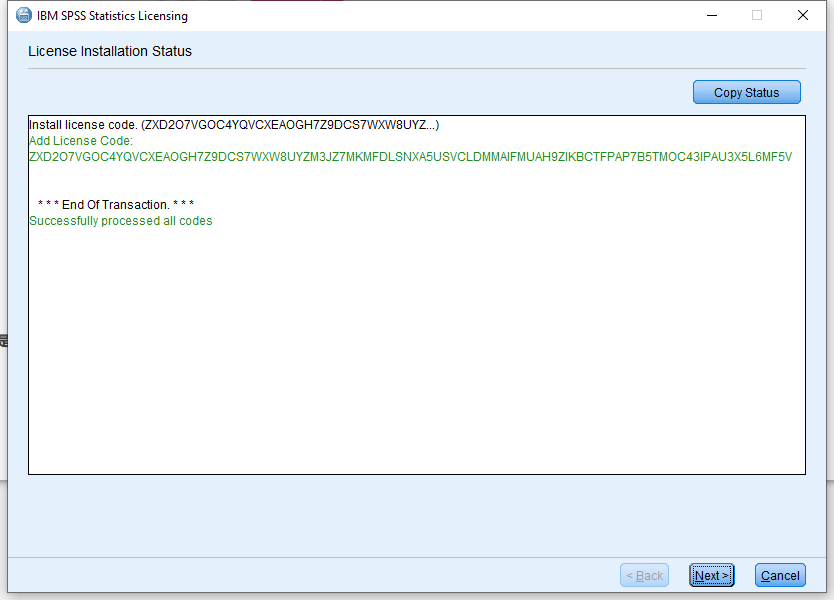
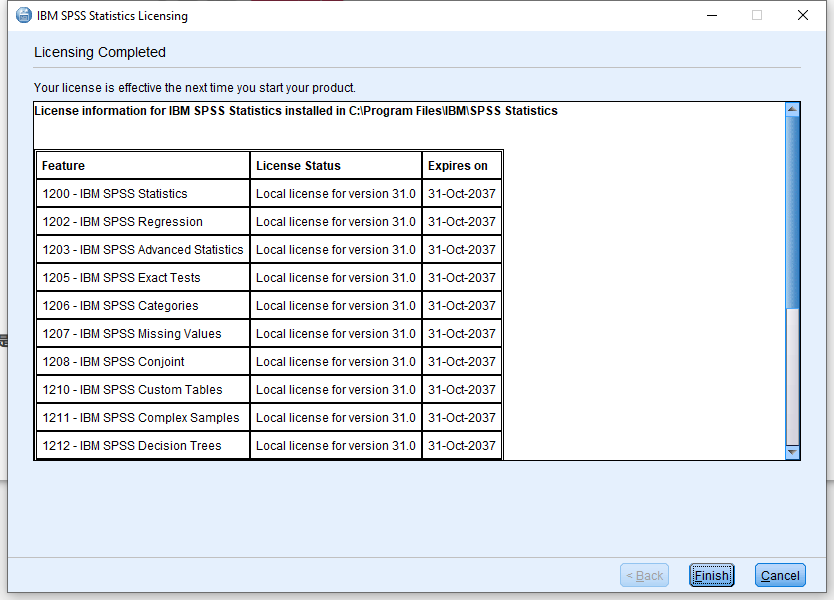
- Complete activation and restart SPSS
Troubleshooting
- Ensure Lock Code and License Code are entered exactly
- Reinstall SPSS if activation fails
- Check firewall or network restrictions
- Keep the delivered code with this machine’s record. A different machine may need a new code.
Important:
Do not share your License Code publicly.